

when quality matters
AI自動吹き替え
AI Dubbing Made Easy
Redesigning SpeechLab’s dashboard and editor for a clearer, faster dubbing workflow.
- Role
- Product Designer
- Team
- Design Manager, PM, Engineer, Founder, QA
Dubbing meant too many steps, and many users left before finishing. I redesigned the dashboard and editor so: uploading starts transcription automatically the next step is clear at each stage teams can dub in batches Dubbing completion rose 13%. The full flow took 30 seconds less on average. Individual users needed 2 fewer clicks per task. Teams start batch dubbing with one setup.
Creators need a clear path.
Enterprise teams need efficiency at scale.
Creators dubbing their content
YouTubers, podcasters, TikTokers, and filmmakers need a clear path to a finished dub.
Enterprise teams handling hundreds of files
Enterprise teams, including Pearson, DeepLearning.AI, and iHeartMedia, need to handle large volumes of content efficiently while keeping control over transcript review.
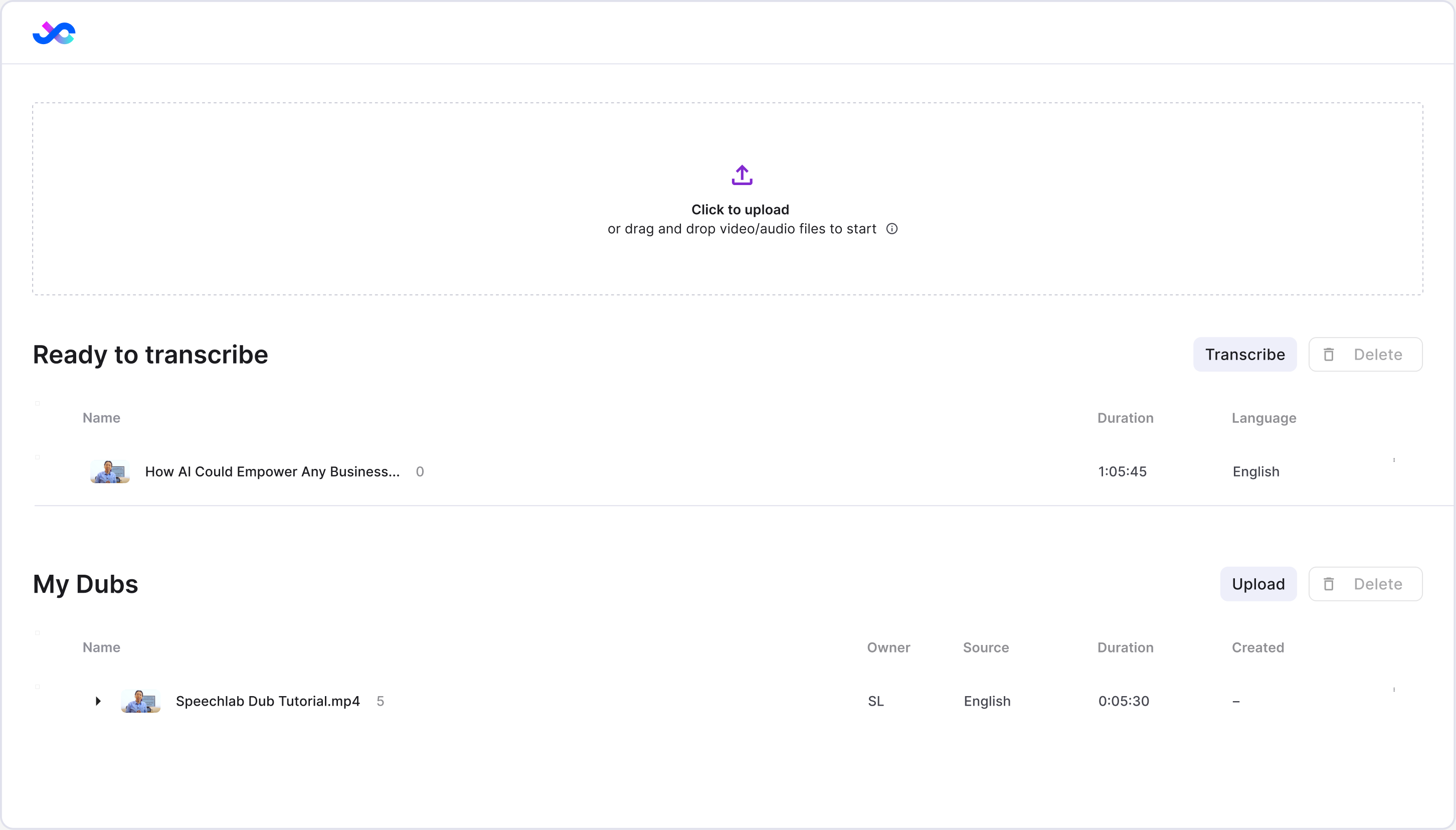
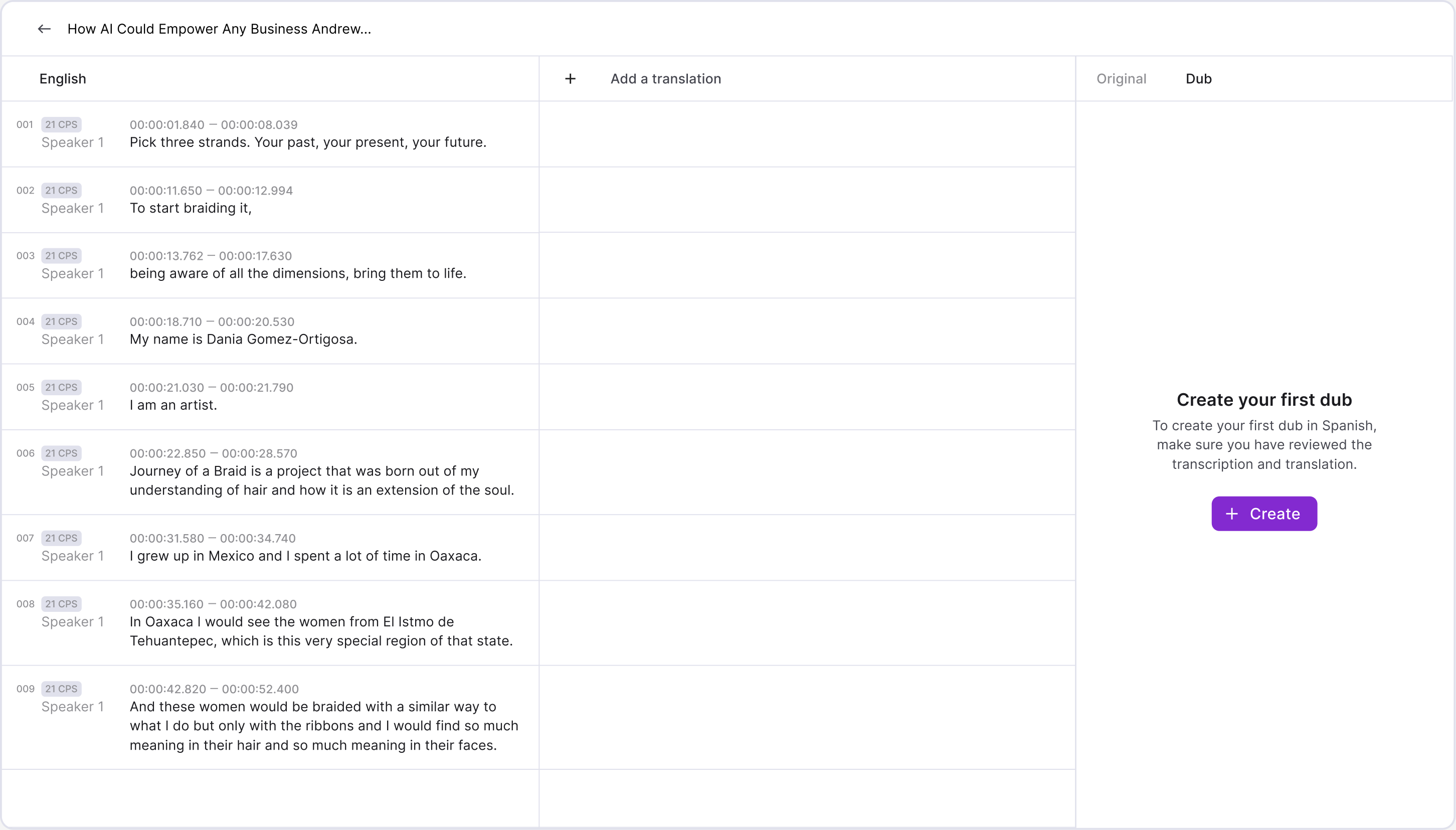
Too many steps, too little guidance
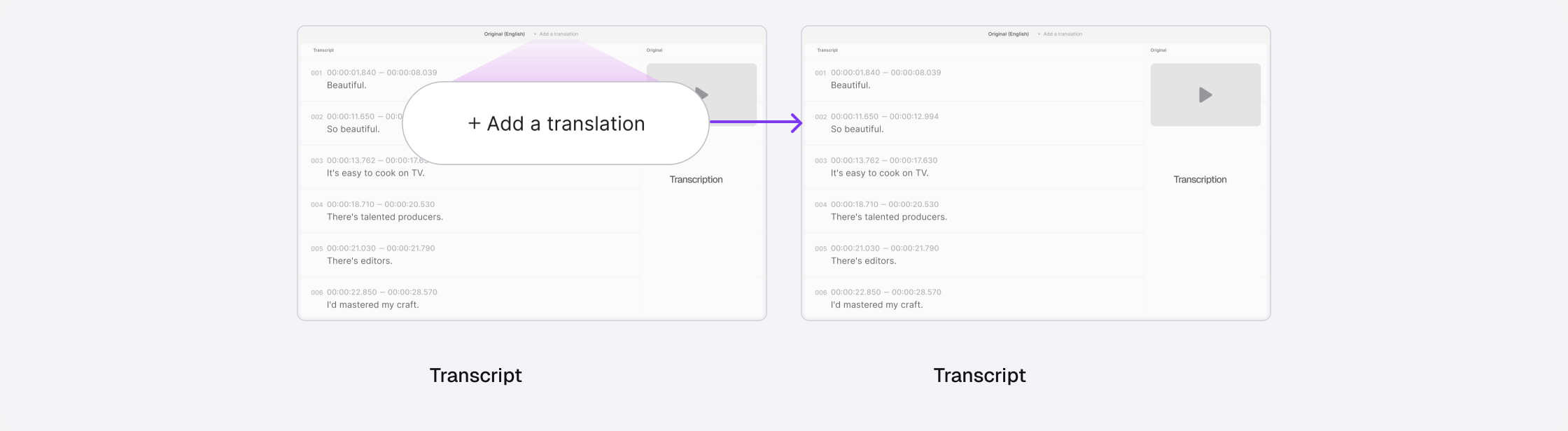
Users had to start each stage and find the next step themselves.
 1
2
3
 Transcript
Translation
Dub
4
5
Users dropped off throughout the dubbing flow
Hotjar funnel from registration to dubbing, before the redesign.
A more intuitive dubbing workflow for creators and enterprise teams
Automatic transcription, guidance as work progresses, and batch actions for teams.
Upload, and transcription starts automatically
Choose the source language once and confirm the upload to start transcription. When it finishes, the project row expands to show the next step.
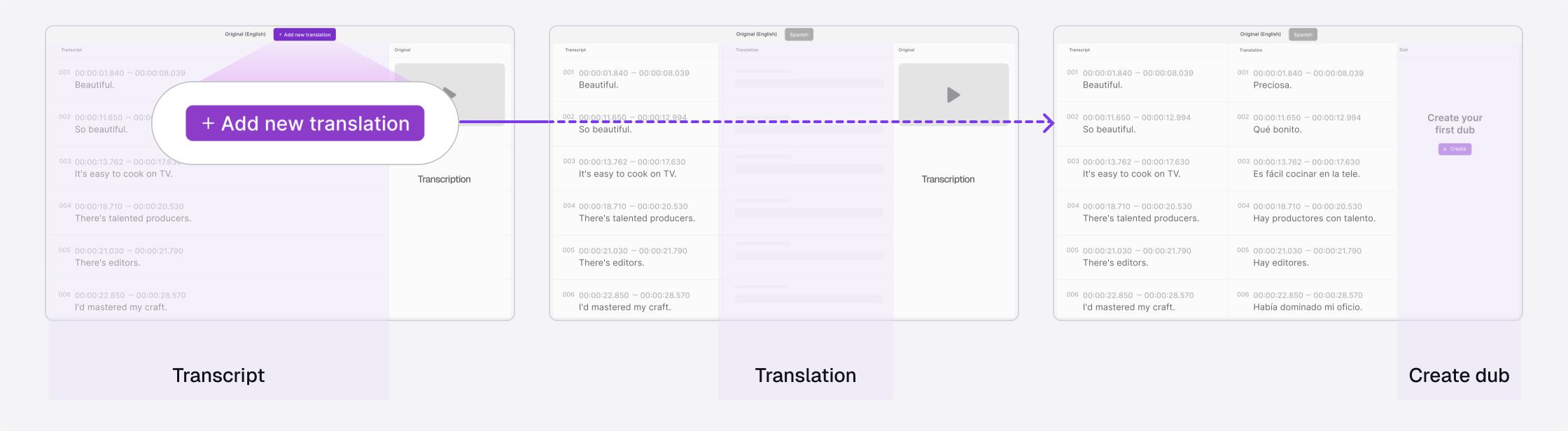
The next step comes into view
Start a translation and its column comes into view. When it finishes, the editor brings you to the action for creating a dub.
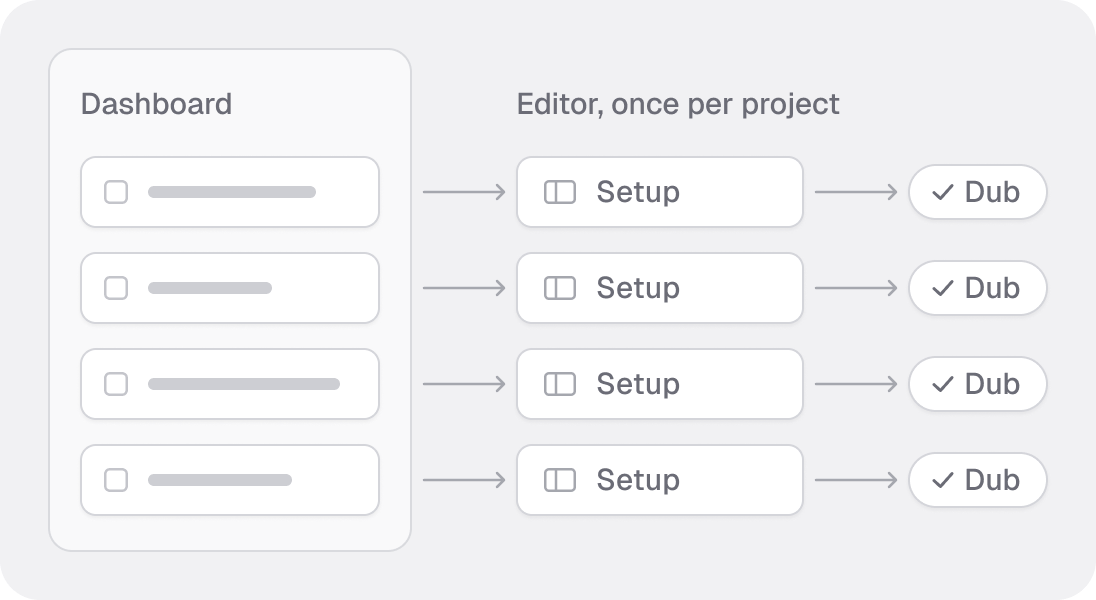
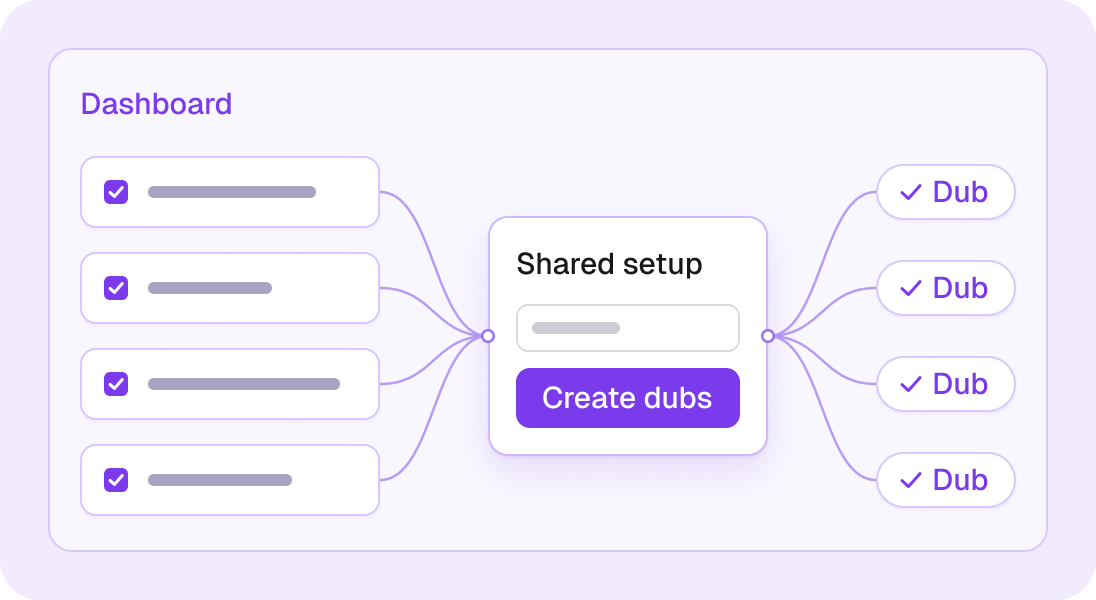
One setup for the whole batch
Select projects in the dashboard and create dubs in batches. Track each result as it finishes.
What was behind the low completion rate?
The funnel showed where users stopped. Research pointed to two recurring problems: redundant actions and unclear next steps.
How might we help more users finish a dub with less effort?
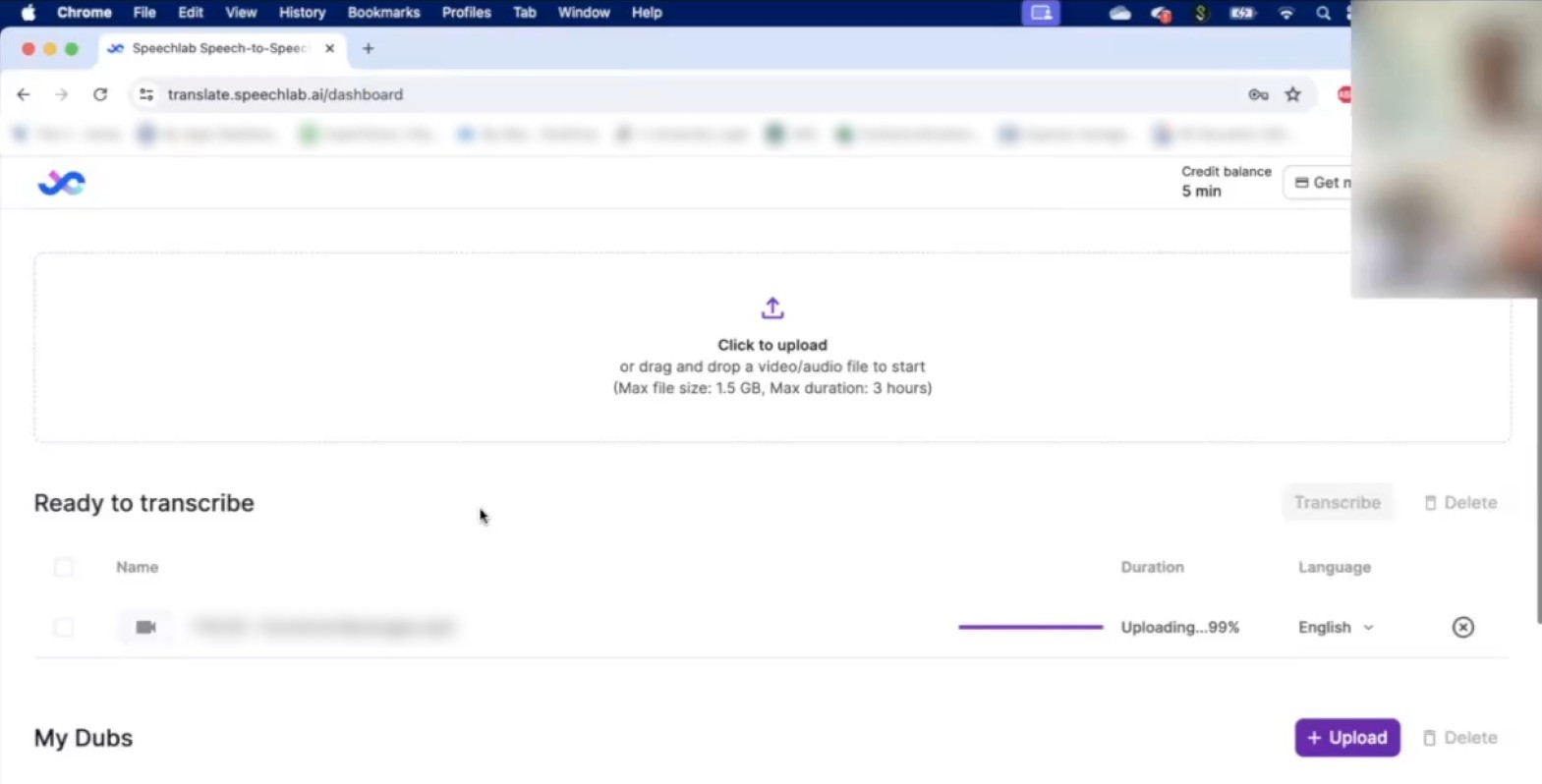
Start transcription on upload
It wasn't the first place that I went. I was checking if there was anything else I needed to click.
Creator, usability test


Make progress and next steps clear
I don't know what to do next.
Creator, usability test
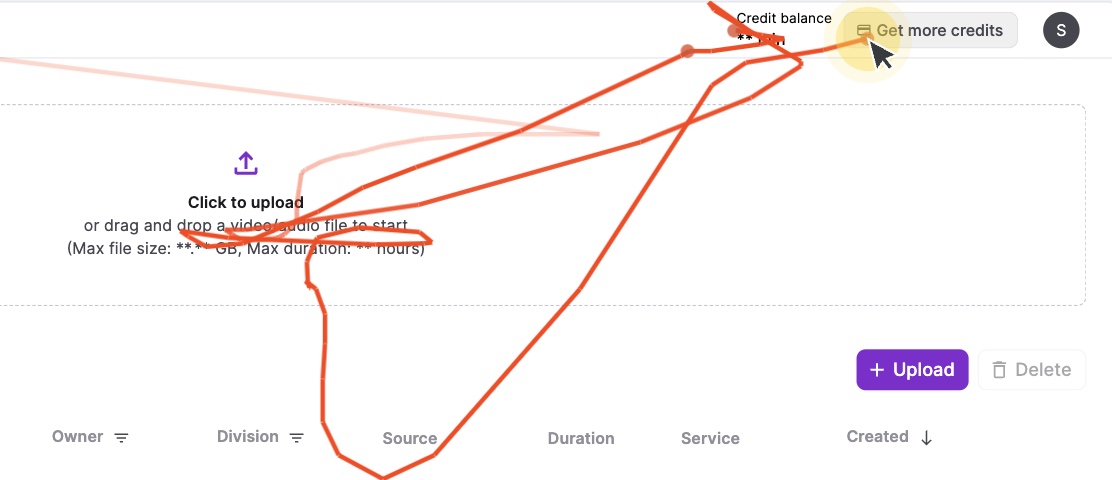
Dub in batches from the dashboard
I just want to process them in one go.
Enterprise client
After launch, more users finished with less effort
Final dubbing completion, one month after launch.
Average time saved across the full dubbing flow.
Saved per task for individual users.
Starts translation and dubbing for selected files.
What I took from the project
Work with constraints
I weighed user value against build effort, then planned changes the team could deliver in stages.
From system to detail
The full journey showed me where to focus. I refined buttons, states, and transitions to guide users forward.
Lower the language barrier
I want to use AI to help people do things that used to be out of reach.